
How to Use
1
Copy YouTube URL
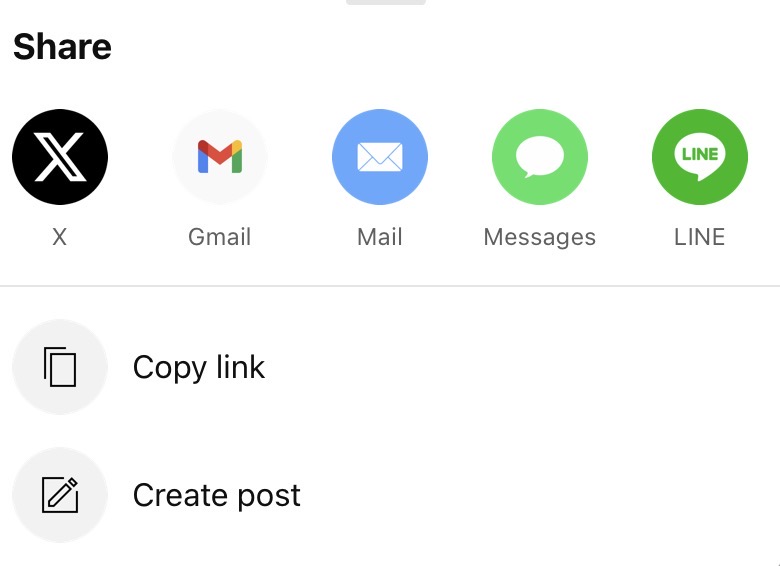
Open the YouTube video you want to loop and copy the URL from your browser's address bar. On mobile, tap [Share] → [Copy link] as shown in the images.

2
Paste the URL
Paste the copied URL into the input field at the top of the page, and the video will load (see example).

3
Set A-B Loop
You can set the loop section using one of two cursors:
- Current playback position (blue circle button)
- The position where the playback was last manually adjusted (red vertical line button)
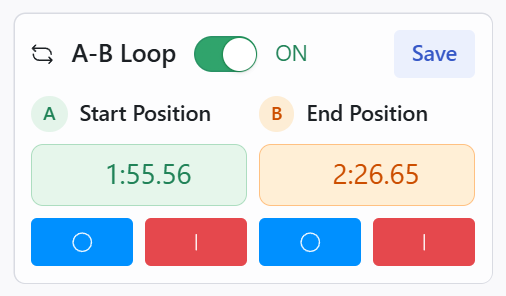
After setting, the seek bar will look like this:

You can fine-tune the marker position using the "Adjustment" slider. Adjust within any range such as ±10 seconds. You can also click the [< 0.05s] and [0.05s >] buttons for even finer time adjustments.

4
Save Your Section
Click 'Save' to store your loop section in the browser, so you can use it again next time. You can also edit or delete section names.